Head to head
Vimeo vs Panda Video
Pick Panda Video if the video has to sell or a course has to stay protected; pick Vimeo if it just has to be hosted cleanly and professionally.
You are down to two, and they are not the same kind of product. Vimeo and Panda Video both host your video and give you a clean, ad-free player you can embed anywhere, so on a features grid they can look like rivals. In practice they answer different questions. Vimeo is built to store and show video well and cheaply, for portfolios, client review, courses and events. Panda Video is built to make a sales letter convert and to keep a paid course from leaking. Which one is right depends entirely on what the video is supposed to do after it plays.
This site judges video tools through a direct-response lens: does the player move viewers past the pitch, and can you prove which traffic bought. On that test the two split cleanly. If the video is doing selling work, a VSL, an advertorial or a course you charge for, Panda ships the tools for it out of the box: smart autoplay, a dummy progress bar, resume play, in-player CTAs, A/B tests, a video-funnel builder, per-video retention analytics, Meta and Google pixels, and DRM watermarking with anti-download and allowed-domains locking. If the video is a portfolio piece, a client cut or an event stream that just needs to look good and load fast, Vimeo does that for a little less, without the conversion overhead you would never turn on.
One steer up front, because this site is about direct response. Panda is built to sell and does the VSL job well, but there is a job neither it nor Vimeo does: score a split test on the actual sale and post that conversion back to your ad account. Panda runs the funnel and fires the pixels, yet its A/B tests are not scored on sales and it does not attribute revenue back to the play. If the whole business is the sales letter and you need cart-level proof of which traffic bought, the tool on this page for that is TrackPlay, which we line up beside these two below and rank against the field in our roundup. For everyone weighing clean professional hosting against a converting, protected player, here is how Vimeo and Panda split.
Quick answer
Pick Vimeo if you want clean, ad-free, professional hosting for portfolios, client review, courses or events and the video is not your main conversion tool; pick Panda Video if the video has to sell or a course has to stay protected, and you want smart autoplay, in-player CTAs, anti-download DRM and ad-platform pixels in one finished player.
One caveat before the two-way call. Panda is built to sell, but if you need every split test decided on the actual sale and the conversion posted back to your ad account, that is TrackPlay's job, and we line it up beside these two below.
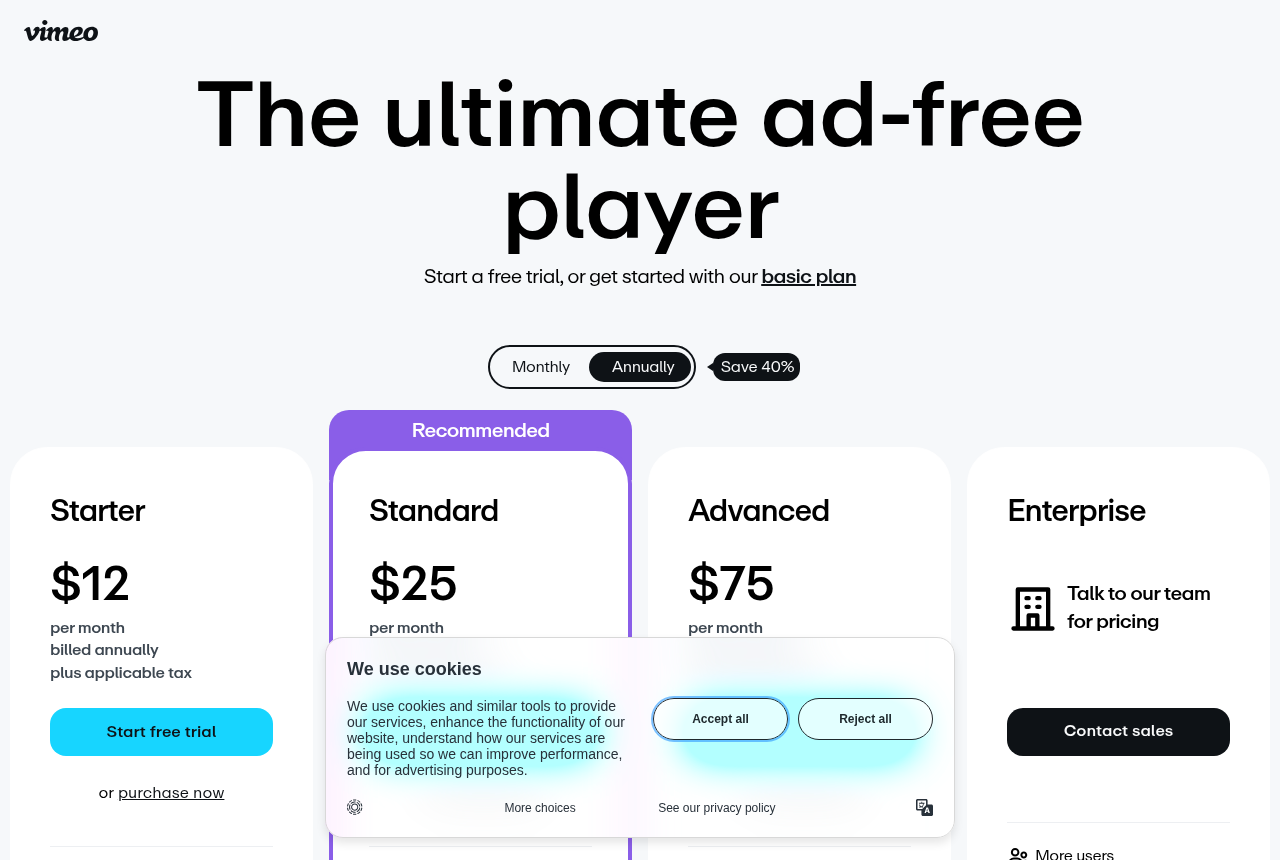
- Vimeo. Best for clean, cheap, professional hosting. Ad-free playback, big storage, portfolio and client-review tools, from about $12 a seat, with a free tier. No VSL player controls, no sales-scored testing, and 2025-2026 billing changes have bitten people at scale.
- Panda Video. A finished VSL and course host. Smart autoplay, a dummy progress bar, in-player CTAs, A/B tests and Meta and Google pixels, plus DRM watermarking, anti-download and allowed-domains locking, and AI dubbing into up to 34 languages. Flat pricing from $17.90 a month, no free plan, a 14-day trial capped at 100GB. Its A/B tests are not scored on sales, and independent English reviews are almost non-existent.
- TrackPlay. Best when the video is a paid-traffic sales letter that has to prove the sale. Decides split tests on the cart-verified sale and fires that conversion server-side to Meta, TikTok and GA4, from $29 a month with a free tier. Not a general host or a course library.
Vimeo vs Panda Video at a glance
Prices and plan features checked on the vendors' own pages on 23 September 2026. TrackPlay is the direct-response specialist we line these two up against, so it wins the conversion rows and sits out the general-hosting ones.
| Feature | Vimeo | Panda Video | TrackPlay |
|---|---|---|---|
| What it is | Clean professional video hosting | A finished VSL and course host | A paid-traffic VSL player and attribution platform |
| Built for | Portfolios, client review, courses, events | Selling and protecting course and VSL video | Proving which paid traffic bought |
| Starting paid price | About $12/seat/mo (Starter) | $17.90/mo (Bronze), flat and public | $29/mo, all features |
| Free tier | Yes, limited | No, 14-day trial (100GB cap) | Yes, 1,000 plays/mo, watermarked |
| Smart autoplay and resume | No | Yes | Yes, sound-first autoplay |
| VSL player controls | CTAs and forms on Standard ($25) and up | Dummy progress bar, in-player CTAs, play logic | Timed CTAs and watch gates |
| A/B testing | No | Yes, not scored on sales | Yes, decided on the cart-verified sale |
| Retention analytics | Aggregate views only | Per-video retention | Per second, buyers vs non-buyers |
| Meta and Google pixels | No | Yes | Yes, server-side to Meta, TikTok, GA4 |
| Revenue attribution | No | No | Yes, revenue per play |
| Download protection | Privacy and domain embed controls | DRM watermark, anti-download, allowed domains | Domain-locked embeds, no anti-download DRM |
| AI localization | No | In-player tutor, dubbing to 34 languages, subtitles | No |
| Pricing model | Per seat; 2 TB/mo bandwidth threshold (Starter) | Flat plans, then $0.06/GB storage and $0.03/GB bandwidth | Flat plans billed by plays, not bandwidth |
| Independent English reviews | Large, mature public review base | Almost none (G2 and GetApp list zero) | Almost none, very new |
| Ownership | Being acquired by Bending Spoons ($1.38B, 2025) | Independent, Brazil-based | Independent, invite-only signup |
| Best for | Clean hosting, portfolios, client review, events | Course sellers and VSLs wanting conversion and protection | Paid-traffic VSLs that must prove the sale |
Strengths and trade-offs
Vimeo asks you to give up conversion and protection tooling, and to accept billing that has moved under long-time users; Panda asks you to buy largely on the vendor's own testimonials and to accept that its A/B tests do not score on sales. Those are the two trade-offs.
Vimeo: what works, what to watch
What works
- Clean, ad-free, reliable hosting
- Strong client-review and portfolio tools
- Cheap entry plan and a free tier
What to watch
- No VSL player controls or sales-focused analytics
- Bandwidth caps and 2025-2026 billing changes bite at scale
- Not built to fire watch-depth pixels or attribute revenue
Panda Video: what works, what to watch
What works
- A real VSL toolkit: smart autoplay, a dummy progress bar, resume play, in-player CTAs, A/B tests and Meta and Google tracking pixels
- Strong content protection: DRM watermarking, anti-download, allowed-domains locking and encryption
- Flat, public pricing from $17.90/mo, with a real-time usage chart so the bandwidth and storage bill is predictable
- A one-click Chrome extension imports a Vimeo library in minutes, and support is fast and in Portuguese
- Built-in AI: an in-player tutor, dubbing into up to 34 languages, and auto-generated subtitles, quizzes and mind maps
What to watch
- Almost no independent English-language proof: G2 and GetApp both show zero user reviews and there is no Trustpilot profile, so you are buying on the vendor's own testimonials
- It does not score a split test on sales or attribute revenue, so a paid-traffic VSL cannot prove which traffic actually bought
- Biggest in the Latin-American market: the dashboard, docs and support lean Portuguese-first, and pricing shows in a mix of dollars and reais
- Extra storage ($0.06/GB), extra bandwidth ($0.03/GB) and DRM watermarking ($0.60/GB) all bill per GB, so a high-traffic offer outruns the flat sticker price
- Credit card is the only payment method, and anti-download unlocks only on the Gold plan
TrackPlay: the paid-traffic VSL pick
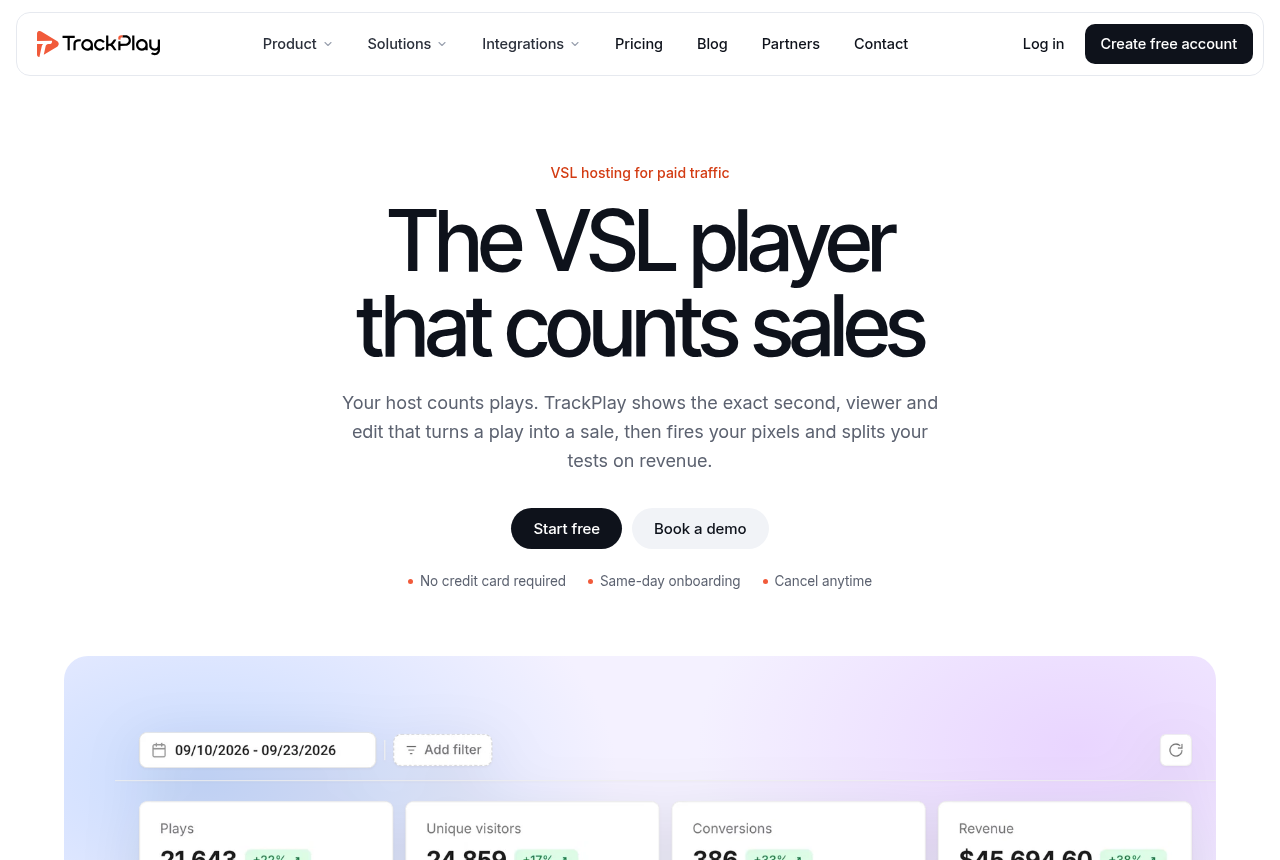
If you landed on Vimeo versus Panda Video because you are running paid traffic to a video sales letter, Panda is the closer of the two, but there is a specialist built for exactly that reader, and it is TrackPlay. It is a VSL player and analytics platform for paid-traffic funnels. On the front end it holds attention with sound-first autoplay, timed CTAs and watch gates. On the back end it draws per-second retention split into buyers and non-buyers, with hook rate, hold rate and revenue per play, so you can see the exact seconds to cut or protect.
What sets it apart from Panda is what happens after the sale. Panda runs the funnel and fires pixels, but it does not score its split tests on revenue or tie the sale back to the play. TrackPlay does both: the cart posts the verified sale back onto the play that earned it, and TrackPlay fires that conversion server-side to Meta, TikTok and GA4, so the ad platform learns from the actual sale rather than a page-load pixel. Its split tests are decided on that cart-verified sale with real statistics, a z-test with a p-value and a confidence interval, and every variant runs under one embed so your ad links and campaign learning never reset. It bills by plays rather than bandwidth, every feature ships on every paid plan, and there is a no-card free plan of 1,000 plays a month plus a 14-day trial, with paid plans from $29 a month.
What works
- Split tests are decided on the cart-verified sale, with a real z-test, p-value and confidence interval, and every variant runs under one embed so ad links and campaign learning never reset
- Server-side conversion tracking to Meta, TikTok and GA4 fires on the watch-time milestone you choose and dedupes browser and server events, so the ad platform optimizes on the actual sale rather than a page-load pixel
- Cart postbacks tie each sale to the play that earned it from seven direct-response carts, including ClickBank, ClickFunnels and Digistore24, server to server
- Per-second retention split into buyers and non-buyers, with hook rate, hold rate and revenue per play
- Every feature ships on every paid plan and billing is by plays, with a no-card free plan of 1,000 plays a month and a 14-day trial; paid plans start at $29 a month
What to watch
- Narrow by design: built for paid-traffic VSL conversion, it is not a general video host or a B2B content library, so it has none of the channels, SEO pages or webinar tooling of a Wistia and is a poor fit if the video's job is content marketing rather than a direct-response sale
- Very new, with thin outside proof: the testimonials are on its own site, there is little third-party review or Reddit footprint yet, and signup is currently invite-only, so you cannot lean on independent validation before you commit paid traffic. That is what you would expect of a platform this recent
Where TrackPlay is not the answer
It is narrow by design. TrackPlay is built for paid-traffic VSL conversion, not general hosting, so it is not a video host for portfolios or client review the way Vimeo is, and it has none of the channels, SEO pages or webinar tooling of a Wistia. It does not try to match Panda's course protection either: no DRM watermarking and no anti-download locking. If the video's job is content marketing, a course library or a portfolio rather than a direct-response sale, it is the wrong tool, and Panda or Vimeo is the better pick. It is also very new, with thin outside proof: the testimonials are on its own site, there is little third-party review footprint yet, and signup is currently invite-only, which is what you would expect of a platform this recent. Pilot it on one funnel and reconcile the numbers against your own cart before you trust it with a launch.
Visit TrackPlay for the current plans and the free tier.
Pricing, tier by tier
Vimeo is cheap for plain hosting. There is a free tier, then Starter at about $12 a seat a month with 2 TB of storage, Standard at about $25 a seat which adds player-branding removal, custom CTAs and lead-capture forms, and Advanced at about $75 a seat which adds live events, Q&A and polls. Enterprise is custom. Check the current number before you buy, because Vimeo has changed its plans more than once recently, and self-serve accounts carry a 2 TB per month bandwidth threshold that its help center says can prompt a move toward a custom plan.
Panda Video sells flat, public plans. Bronze is $17.90 a month (200GB storage, 500GB bandwidth, one user), Silver is $37.90 (512GB, 1TB, two users), Gold is $97.90 (1TB, 4TB, ten users, plus the anti-download lock and free AI generation), and Enterprise is on request. There is no free plan, only a 14-day trial capped at 100GB, and credit card is the only payment method. The costs that scale are the overages: storage at $0.06 a GB, bandwidth at $0.03 a GB, and DRM watermarking as a $0.60-per-GB add-on. A real-time usage chart shows the running total, so the bill is predictable.
TrackPlay prices differently again, because it bills on plays rather than storage or bandwidth. A no-card free plan covers 1,000 plays a month with a watermark, a 14-day trial opens the paid features, and paid plans start at $29 a month with every feature included on every tier. For a single sales letter that lands close to Panda's $17.90 Bronze plan, with the difference that the whole product is aimed at proving which paid traffic bought. Watch the play count, not a storage or bandwidth meter, as the number that scales the bill.
The sticker price is close, so the deciding number is not the entry fee. Vimeo Starter at roughly $12 a seat is a little cheaper than Panda's $17.90 Bronze, and Vimeo has a genuine free tier where Panda has only a card-only trial. What the extra few dollars a month on Panda buys is the entire conversion and protection layer Vimeo does not include at any tier: the VSL controls, the funnel builder, per-video retention, the pixels and the anti-download DRM. On Vimeo you would need higher plans just to add branded CTAs and forms, and even then you do not get the rest.
Both meter usage above the plan, but they surprise buyers in different ways. Panda bills overage per GB, so a high-traffic offer runs past the flat sticker, though its usage chart shows the total climbing in real time. Vimeo's shock has been the renewal, not the meter: through 2025 and 2026, long-time subscribers have posted about steep price increases and plan migrations, one thread titled simply "Stop paying Vimeo after a decade", and Vimeo agreed in September 2025 to be acquired by Bending Spoons for $1.38 billion, which has left buyers unsure where pricing goes next. So the money question is not which is cheaper at signup, because they are close. It is whether you will use Panda's conversion and protection stack. If the video has to sell or a course has to stay locked, that stack earns its few extra dollars quickly. If the video only has to be hosted and embedded, Vimeo does that for slightly less and with far more public track record to check.
The verdict
Between these two, pick on what the video has to do after it plays. If it has to sell, or a paid course has to stay protected, Panda Video wins, because it is the only one of the pair with the VSL controls, the ad-platform pixels and the anti-download DRM to do that job, and it costs only a few dollars more than Vimeo a month. Two honest limits stay attached to the pick: Panda does not score an A/B test on sales or attribute revenue, so it optimises attention rather than proving which traffic bought, and its independent English-language proof is almost empty, so pilot it before you migrate a proven offer.
Vimeo wins when the video just has to be hosted well: portfolios, client review, course lessons that do not need locking down, or event streams. For that job it is a little cheaper, far more mature, and backed by years of public reviews you can actually read, where Panda asks you to buy largely on the vendor's own testimonials. The tie-breaker is simple. If you can name a sale the video is meant to produce, or a course that must not leak, buy Panda; if you cannot, and you just need clean professional hosting, buy Vimeo.
One more call, for this site's core reader. Panda wins this pair because it sells and protects out of the box, but it measures attention rather than the sale: its split tests are not scored on revenue and it does not attribute the sale back to the play. If that proof is what you are buying video software for, TrackPlay is built for it, deciding each test on the cart-verified sale and posting the conversion server-side to your ad account. It is narrow and very new, so pilot it on one funnel first, but for a paid-traffic sales letter that has to prove which traffic bought, it is the pick over both.
Our pick
Panda Video
Panda Video is the pick for this site's core reader: someone whose video has a job beyond being watched, whether that is selling on a VSL or protecting a paid course. Vimeo hosts video cleanly and cheaply, but it is not built to sell: it has no smart autoplay, no in-player play logic, no anti-download DRM and no ad-platform pixels, and its analytics stop at aggregate views. Panda ships all of that in one finished player, and it costs $17.90 a month against Vimeo's roughly $12 a seat, so the gap is small for what it adds. Two honest limits keep the pick in perspective. Panda does not score an A/B test on sales or attribute revenue, so it optimises attention and clicks rather than proving which traffic actually bought, which is where a dedicated direct-response player like Vidalytics goes further. And its independent English-language proof is almost empty, with G2 and GetApp both listing zero reviews, so pilot it on a low-stakes funnel before you migrate a revenue offer. Choose Vimeo instead when the video is a portfolio piece, a client cut, a course lesson that does not need locking down, or an event stream that just has to look professional and load fast. For pure hosting Vimeo is a little cheaper, more mature and far easier to check, with years of public reviews behind it, and paying for Panda's conversion and protection stack you will never switch on is money lost.
Frequently asked questions
Is Vimeo or Panda Video better?
Which is cheaper, Vimeo or Panda Video?
Can Vimeo run a video sales letter for paid traffic?
What if I need to prove which paid traffic actually bought?
Which has better content protection?
Is Panda Video trustworthy given how few reviews it has?
Is it hard to move from Vimeo to Panda Video?
Sources
Other sources
11 discussions and reviews read for this page. Quotes are excerpts; open a link to read the original in context.
- [] Vimeo plans and pricing (vendor)
- [] Bandwidth on Vimeo (vendor help center)
- [] Vimeo: lapsing from a paid account to Basic (vendor help)
- [] Vimeo to be acquired by Bending Spoons for $1.38B (vendor press)
- [] Panda Video home (vendor)
- [] Panda Video pricing (vendor)
- [] Panda Video VSL player (vendor)
- [] TrackPlay (vendor)
- [] Stop paying Vimeo after a decade (r/vimeo)
- [] Panda Video reviews on G2
- [] Trouble downloading from Panda Video (r/youtubedl)
Related reading
- Our full Vimeo review
- Our full Panda Video review
- Vidalytics vs Panda Video, compared
- Vidalytics vs Vimeo, compared
- Vimeo vs Gumlet, compared
- Panda Video alternatives, ranked by the job
- Alternatives to Vimeo, ranked by what moves sales
- The best VSL players and conversion video software
- All head-to-head comparisons